

Connect Your AI Assistant to Golfmanager With MCP
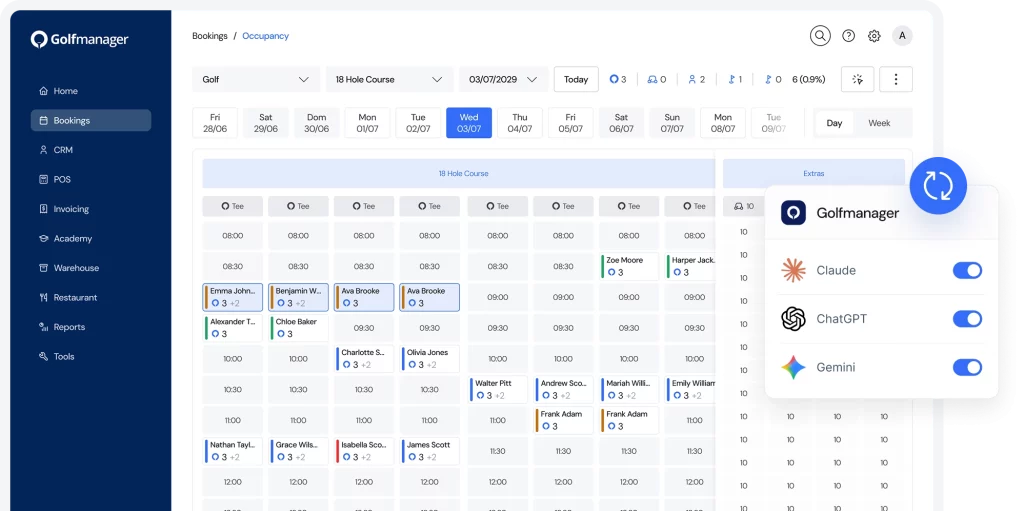
A Connector That Works With You
AI That Understands Your Entire System
Our MCP has full context of your configuration, so it gives you accurate answers and acts within the right module.
Responses Based on Permissions
Every response and action respects who you are and what you're allowed to access. It never bypasses your club's roles and permissions.
Ready For Whatever Comes Next
As Golfmanager adds new capabilities, the same connector lets you do more without installing anything new.
Use Cases For Your Everyday Work
Check Your Club's Status Instantly, in Real Time
Ask "how many tee times do I have tomorrow?" or "what's occupancy like this weekend?" and get your answer in seconds.
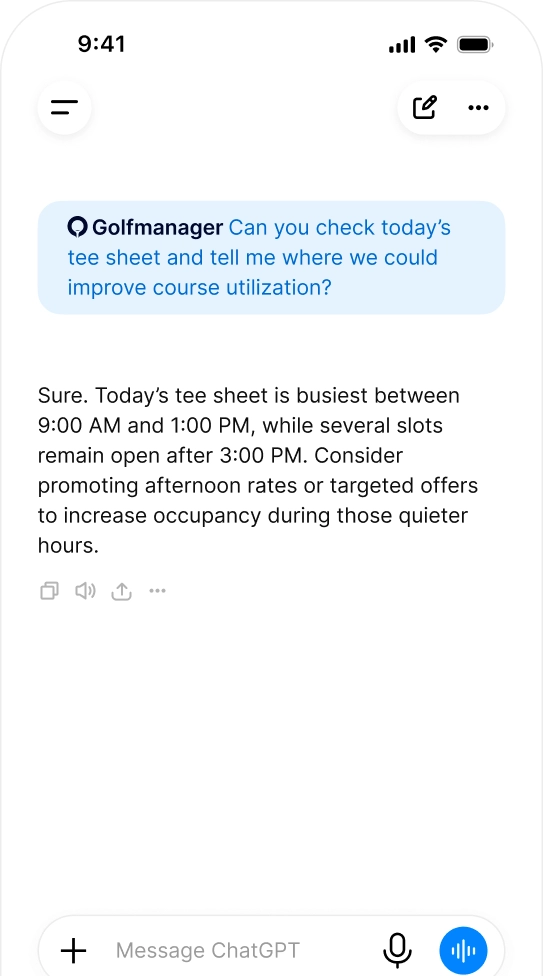
Register New Members Without the Manual Form
Tell your assistant to sign up a new member with their details and terms, and have it registered directly in Golfmanager.
Manage the Tee Sheet Without Leaving the Chat
Ask it to move, duplicate or cancel a booking, and the connector carries it out directly in the system, within your role's permissions.
Generate the Report You Need, on the Spot
Request a billing, occupancy or sales report for any period, and get it drafted and ready — no manual building required.
Set Up the MCP Connector at Your Club
1
Copy the Connection Link
2
Log In Securely
3
Start Asking and Taking Action
Open your AI assistant — Claude, ChatGPT or Gemini — and start querying information or asking it to carry out actions directly in Golfmanager.
Frequently Asked Questions
What Is the Golfmanager Connector?
What Can the Golfmanager Connector Do?
Is It Safe to Give Access to My Club?
Yes. The connector respects the permissions you’ve already set up in Golfmanager: each user can only view or change what they already have access to within the system.
Which AI Assistants Does It Work With?
Do I Need Technical Knowledge to Activate It?
No. You can connect your AI assistant to Golfmanager in minutes, with no coding or developer support required.
How Do I Give My Team Access to the Connector?
Each member of your team connects their own AI assistant by logging in securely to Golfmanager (via OAuth). Everyone’s access stays limited to the permissions they already have within the system.